 photoKam
Photography practice
Camera School
A practice studio where you set aperture, shutter speed and ISO like on a real camera, and shoot in a 3D set.
Camera School computes the light that actually passes through the aperture. Background blur, bokeh, brightness and noise change with your settings the way they do on a real camera. Shoot the same scene with 4 bodies from Micro Four Thirds to medium format and 30 lenses, then compare two shots side by side.
You need Chrome or Edge on a computer, with a keyboard and a mouse.
It does not run on phones or tablets. Please open it on a computer.
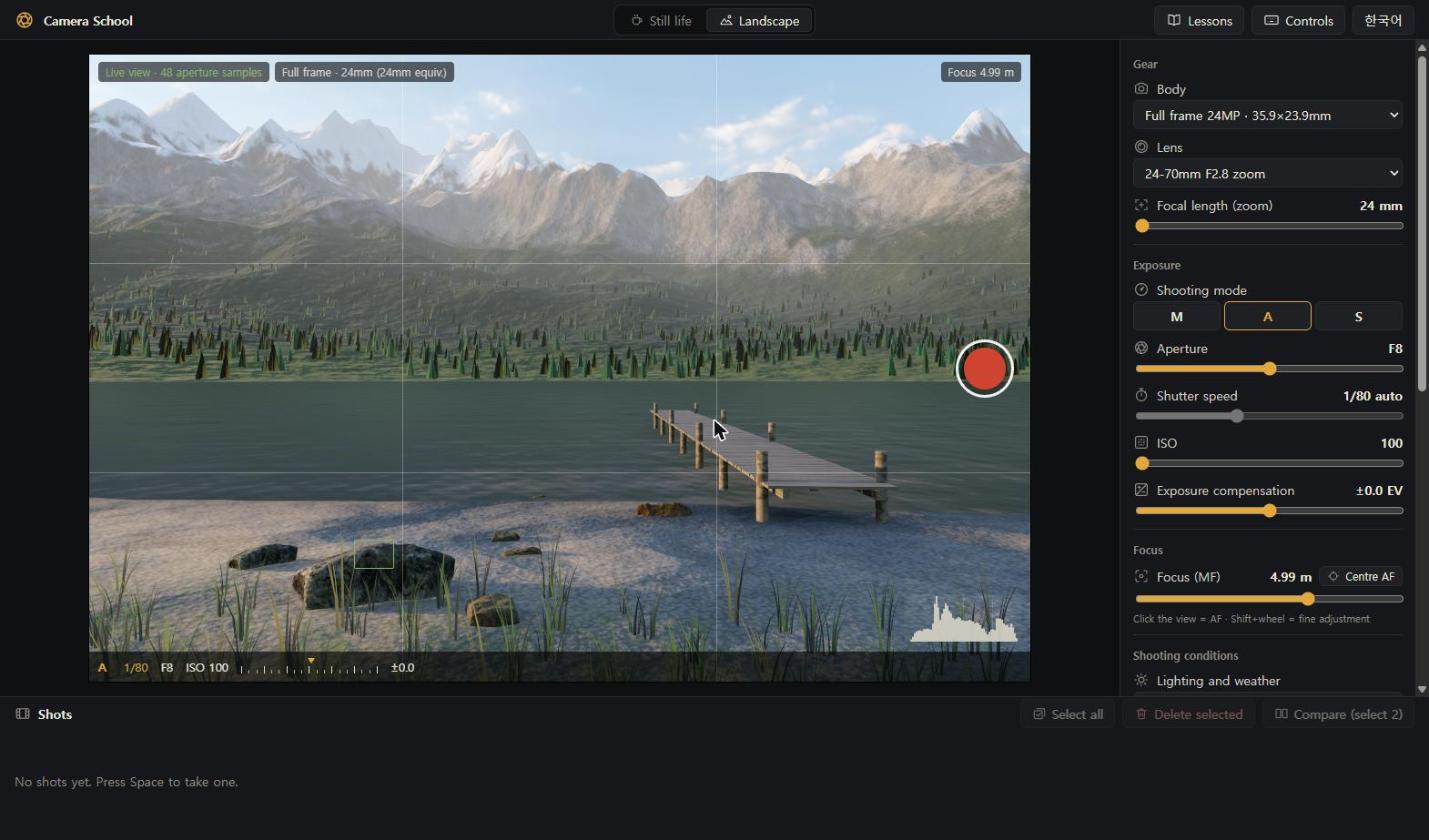
How to use it
- Pick a sceneChoose Still life (a table by the window) or Landscape (a lakeshore and mountains) at the top.
- Find your spotWalk with W A S D and drag the mouse to look around. Click anywhere in the view to focus there.
- Set the cameraChange the body, lens, aperture, shutter speed and ISO on the right. The view updates straight away.
- Shoot and comparePress Space or the red shutter button. Select two shots in the strip below to compare them side by side.
New to this?
Open “Lessons” at the top. Each lesson guides you step by step and moves on when you meet the condition.
- Blur the background with the aperture
- Sensor size and depth of field
- Show motion with shutter speed
- A landscape sharp from front to back
- Same landscape, different light
Shot in Camera School
Rendered by the app itself — no compositing or retouching.